
 PrizmikAca
 PrizmikWeb
 PrizmikFunc
 PrizmikApi
 PrizmikSuite


Manage your
Azure Static Web Apps
Stop editing staticwebapp.config.json by hand. Environments, routing rules, build config, auth providers, and more — from one lightweight desktop app.
A faster alternative to the Portal workflow. No browser tabs. No CLI flags.
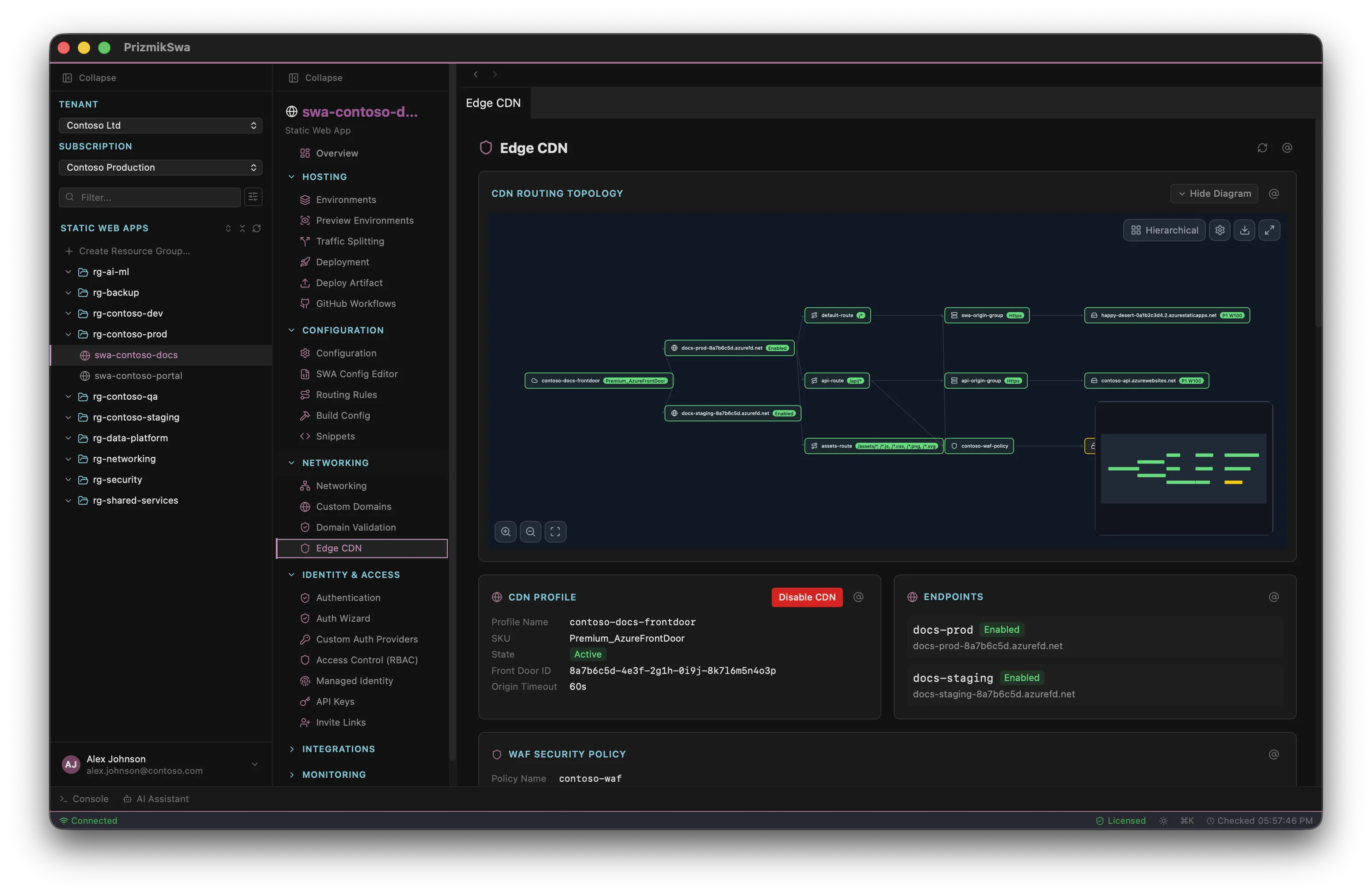
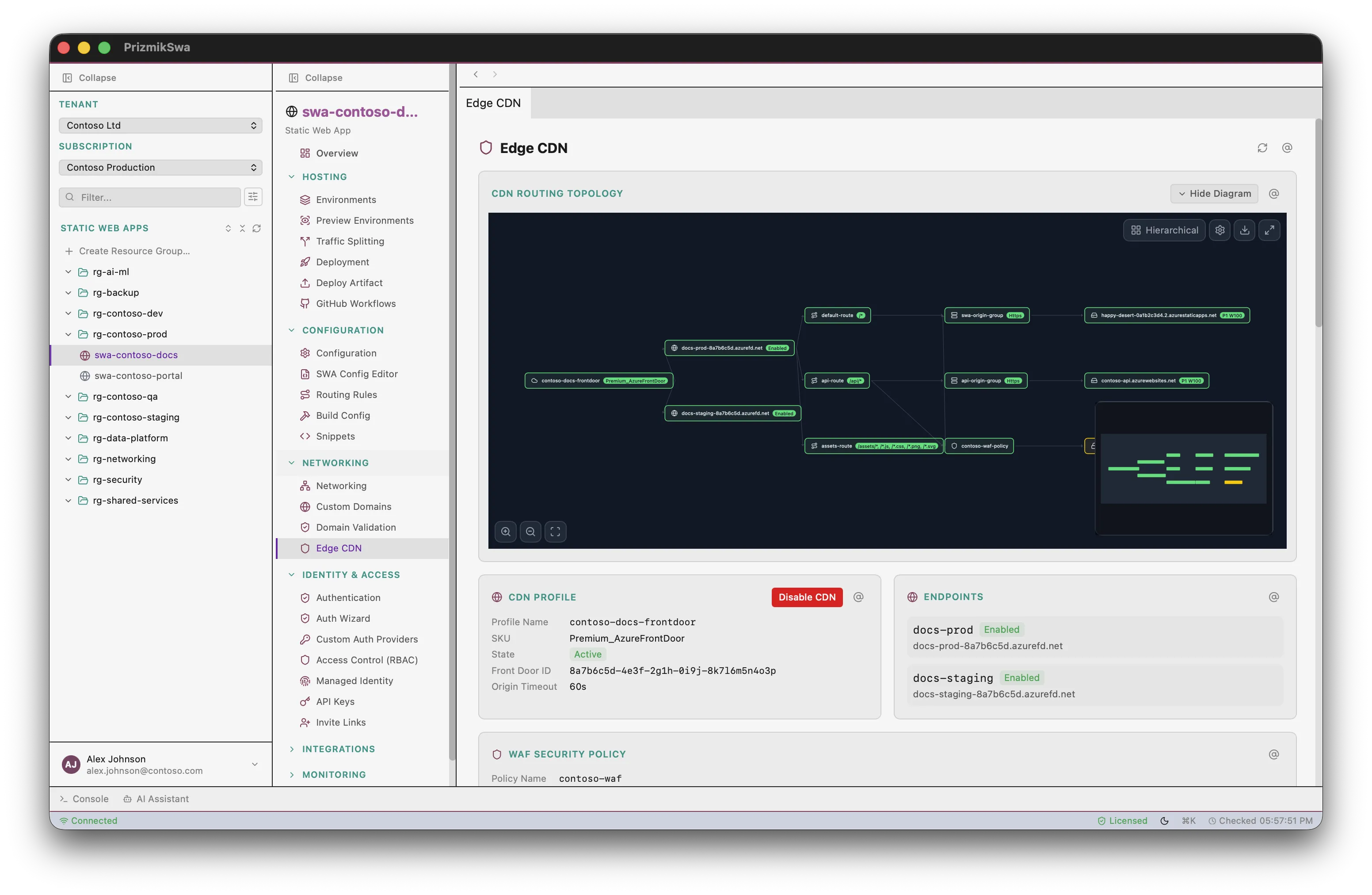
Everything you need to manage Static Web Apps
Visual editors for routing and build config, a step-by-step auth wizard, backend integrations, and full management — no JSON editing required.
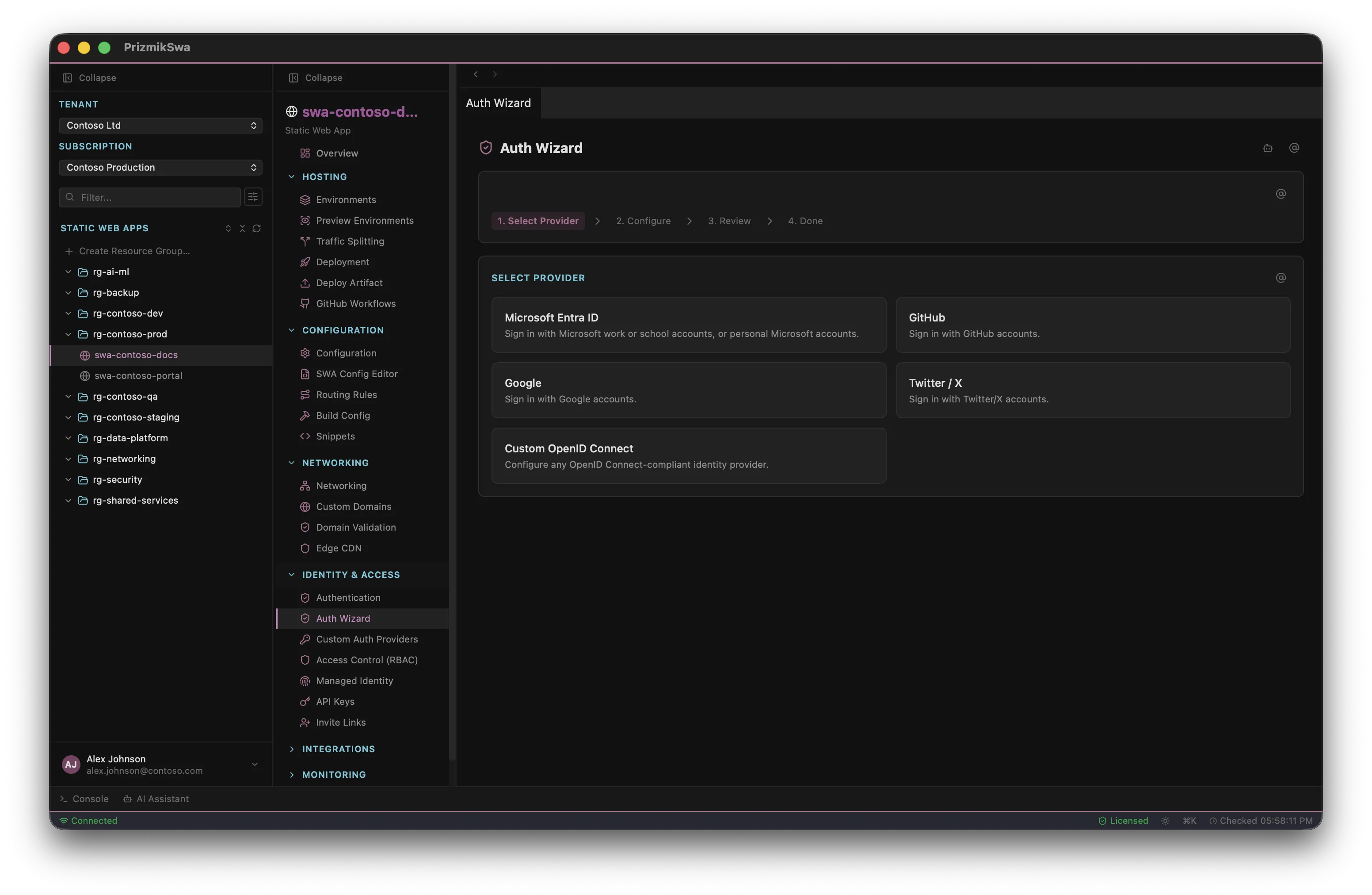
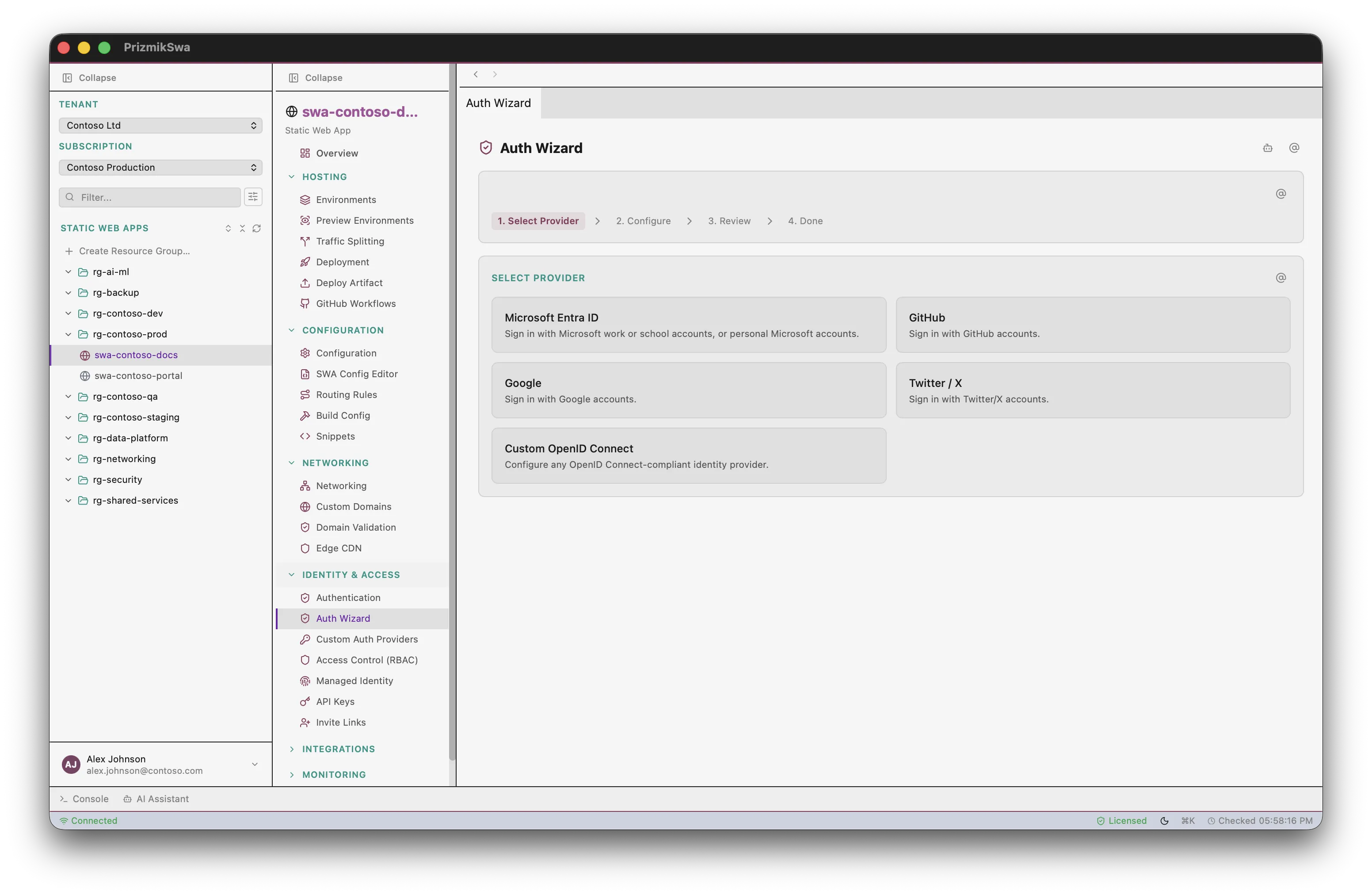
Authentication setup
in 4 guided steps
No more hand-editing auth configuration. The Auth Wizard walks you through provider selection (Microsoft Entra ID, GitHub, Google, Twitter/X, Custom OpenID Connect), client configuration, and applies the settings — with a review step before saving.
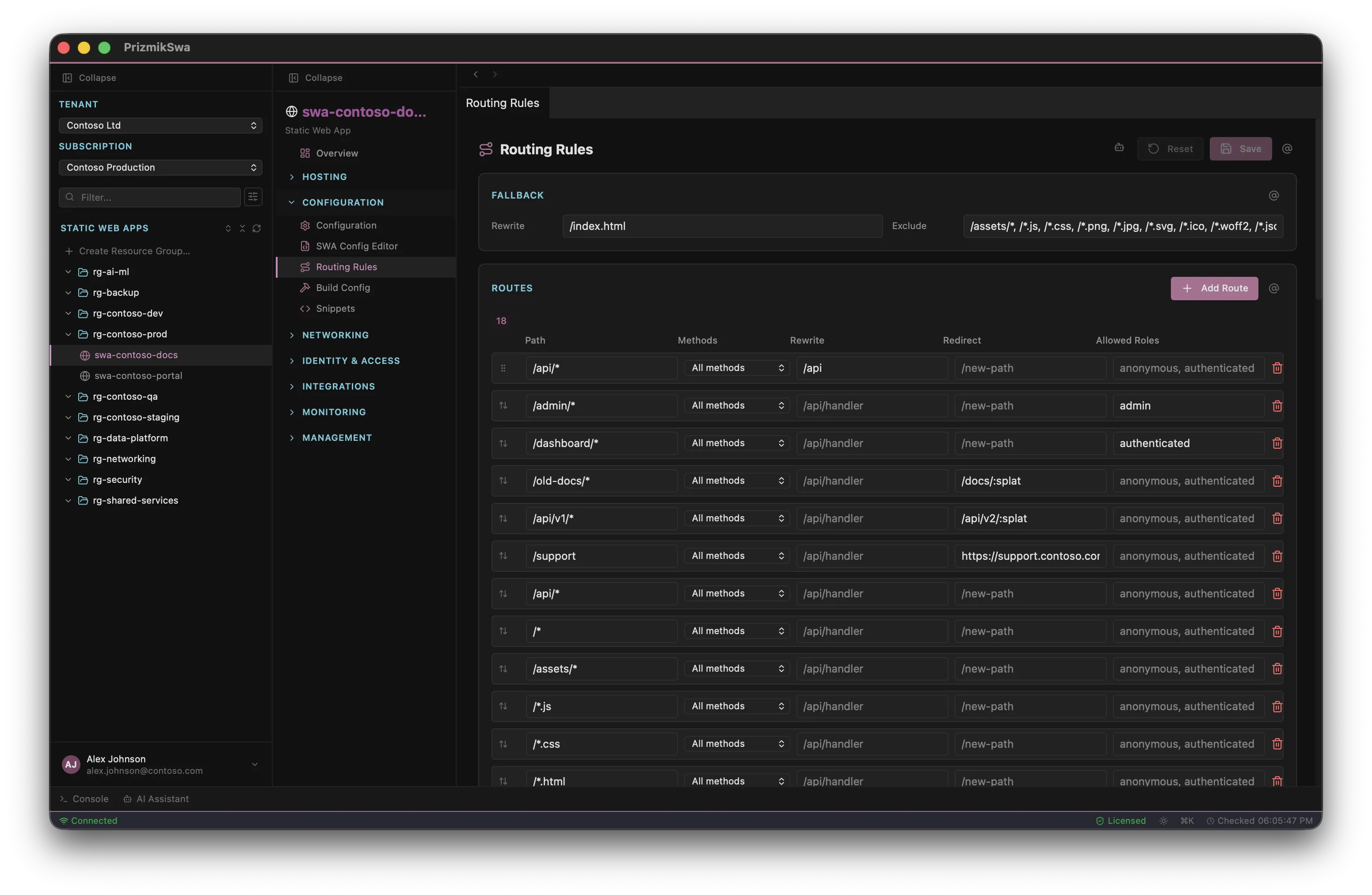
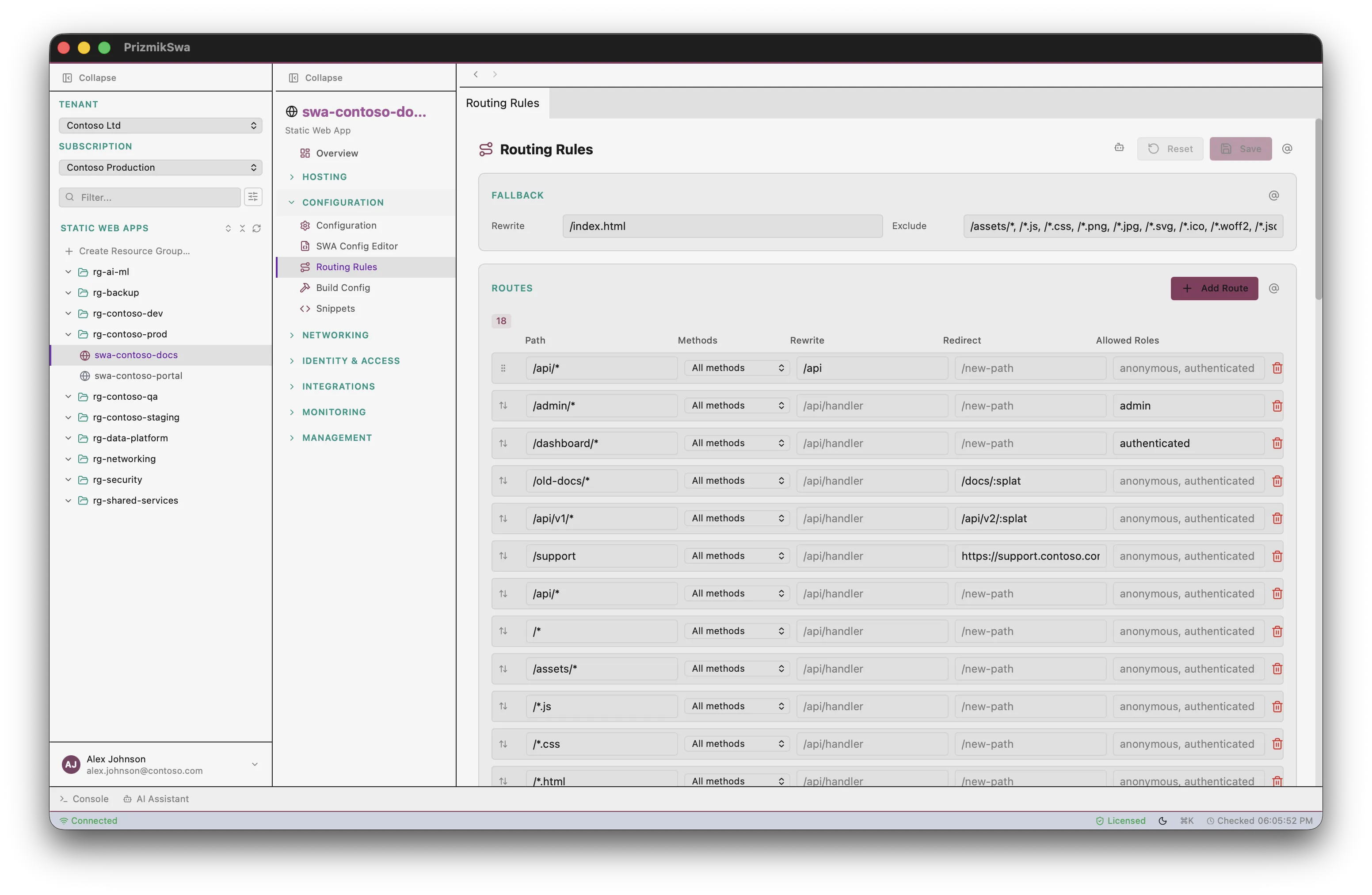
Visual routing rules
without editing JSON
Add, remove, and reorder custom route rules visually. Configure paths, HTTP methods, rewrites, redirects, and allowed roles. Set up SPA fallback navigation — then save or reset. No staticwebapp.config.json editing needed.
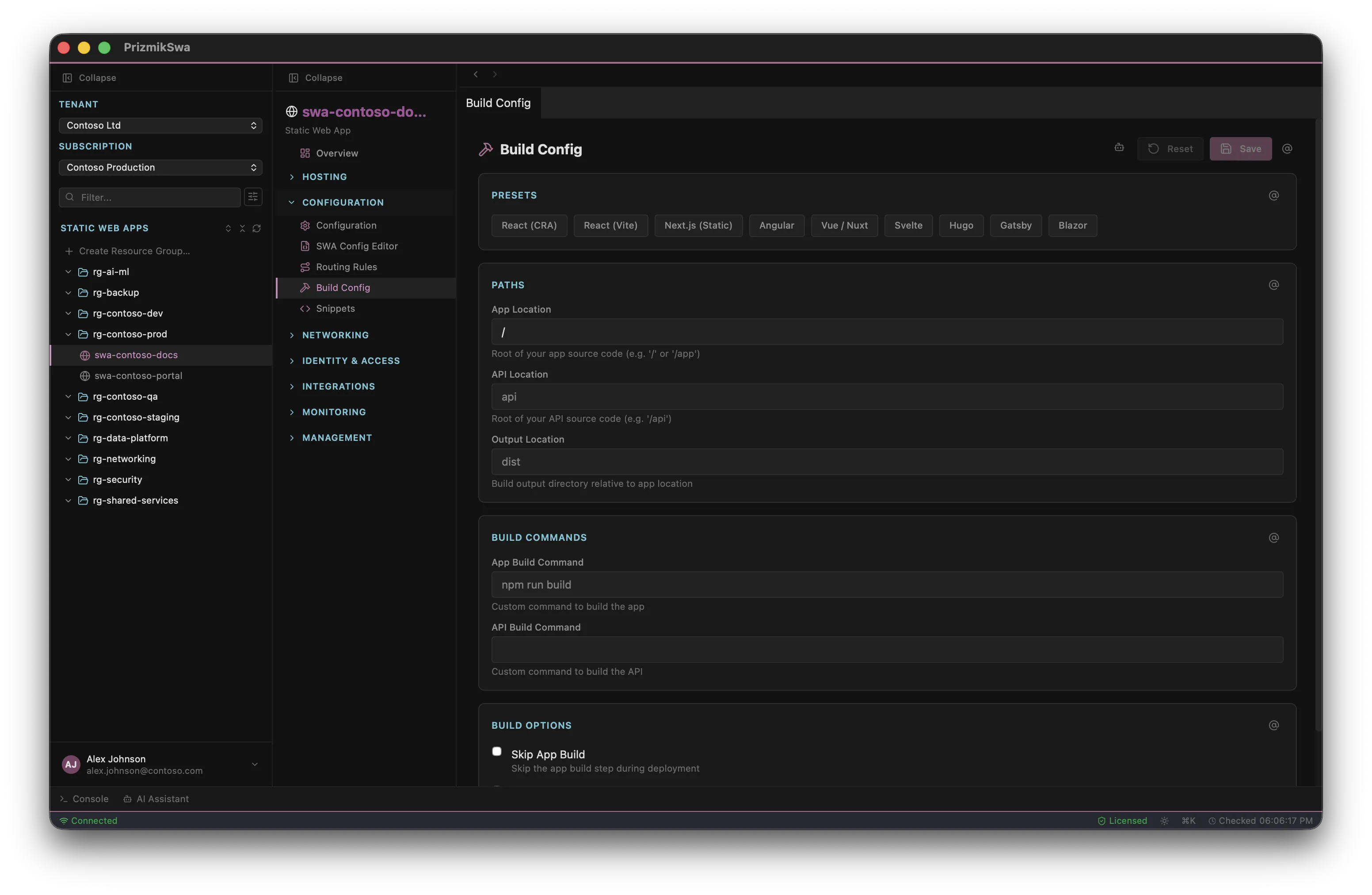
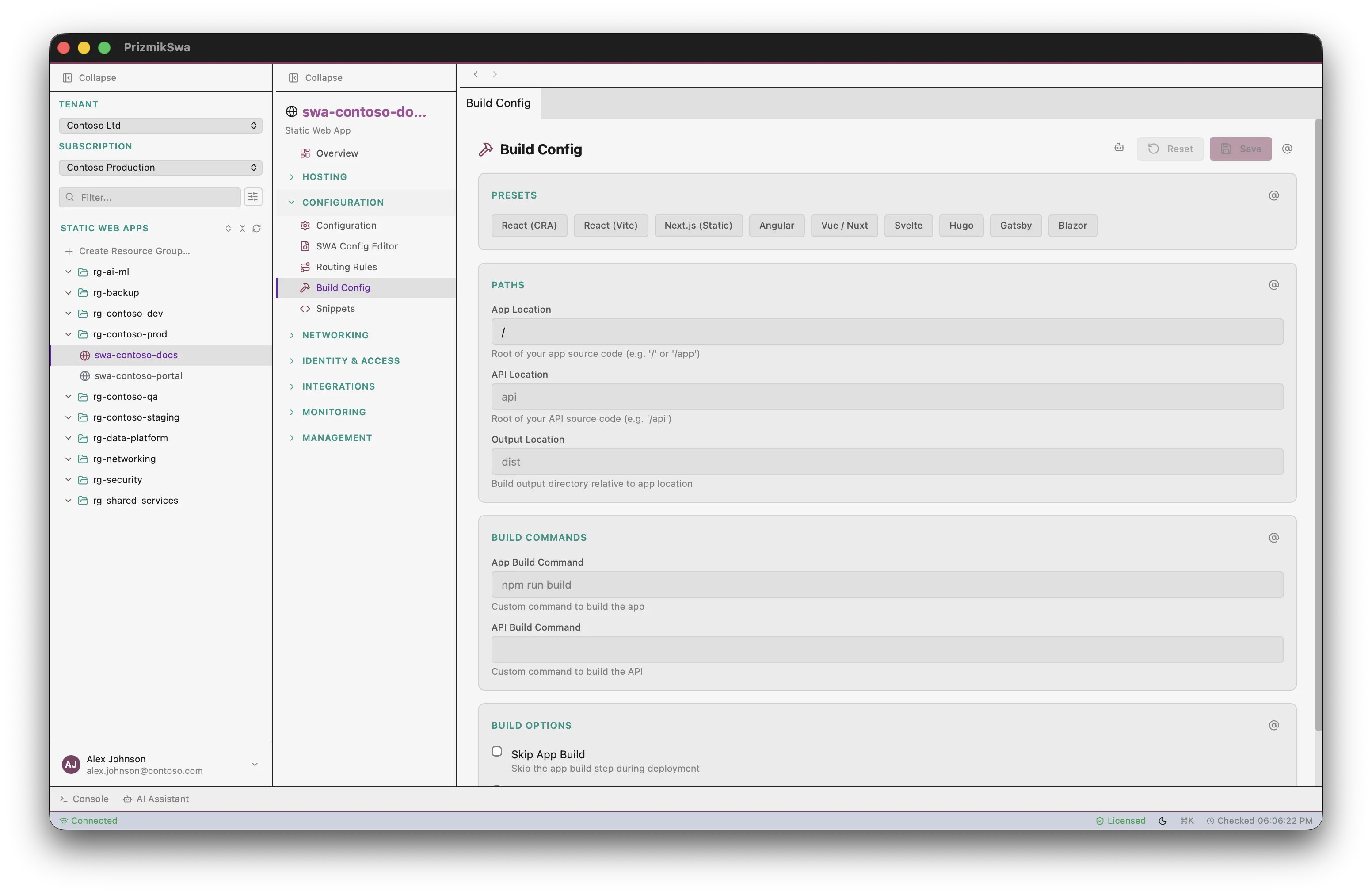
Build configuration
with framework presets
Select from predefined framework configurations. Set app location, API location, and output location. Custom build and API build commands. Skip toggles for app build or API dependency installation. The Azure Portal only shows the GitHub Actions workflow file — here you get a real editor.
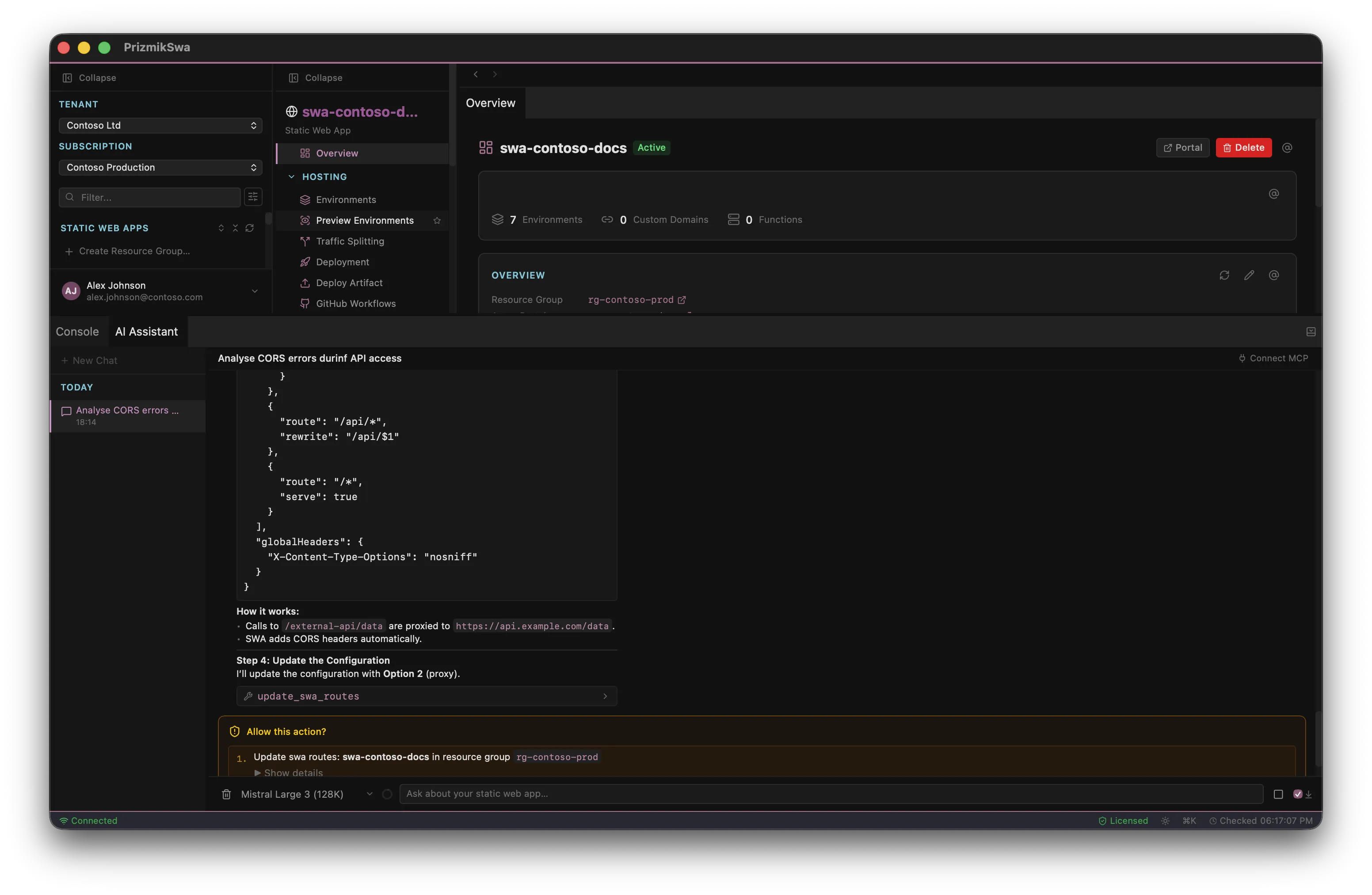
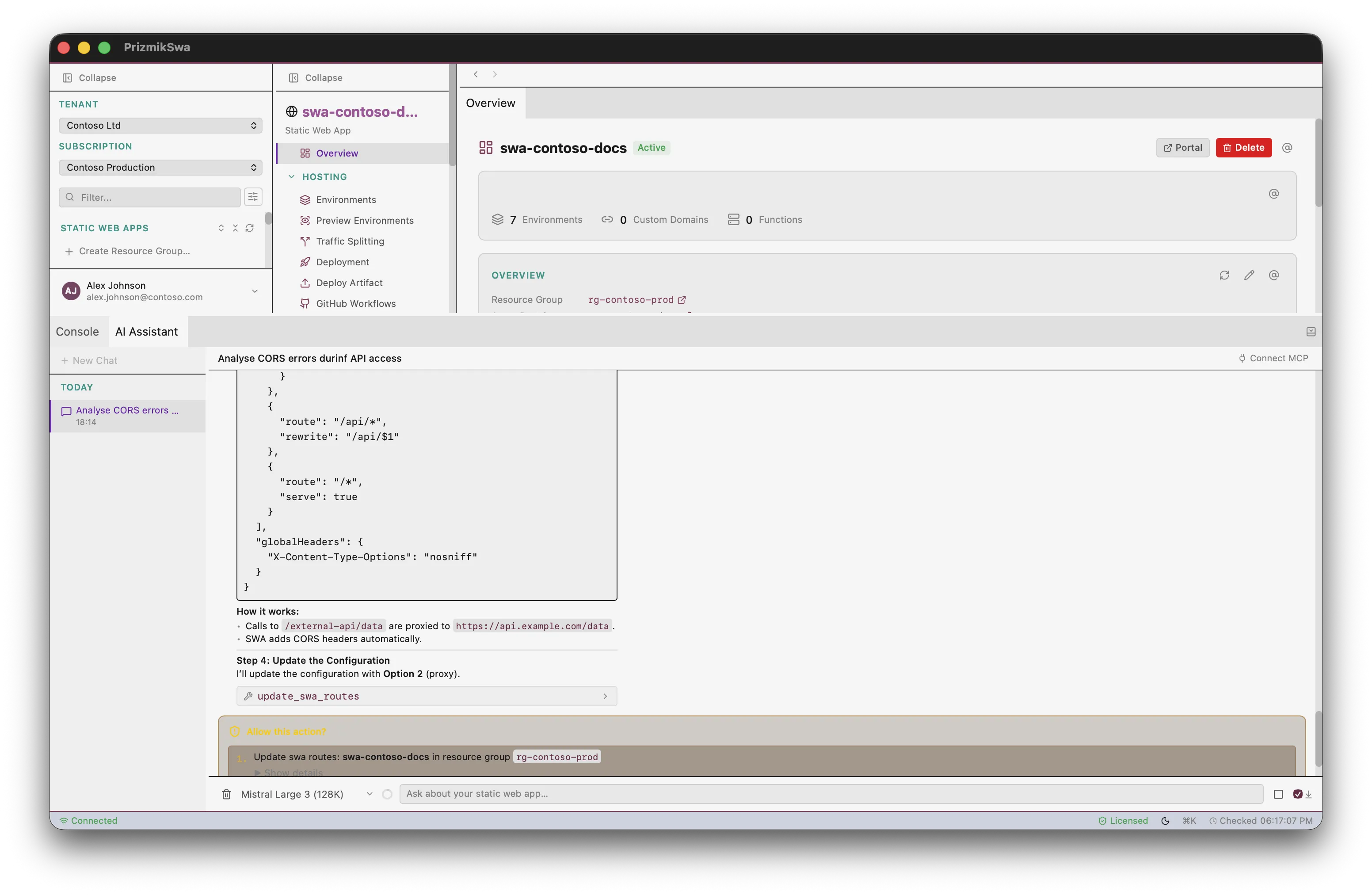
AI that actually does things
Not a chatbot that suggests what to do. The built-in AI assistant has tools to query your Azure resources, check logs, and troubleshoot configuration — all with your confirmation. Supports 7 providers — bring your own API key.
And much more
Linked Backends
Link and unlink Function Apps and API Management instances. See status, region, and open backend resources in the Portal.
Database Connections
Manage Cosmos DB, Azure SQL, MySQL, and PostgreSQL connections. View type, region, and status — delete connections directly.
Environments
View staging and production environments with status. Toggle staging environment policy. Manage per-environment settings.
Custom Domains
View configured custom domains with validation status. Manage domain settings alongside your app configuration.
API Keys
View, reveal, copy, and reset API keys. Regenerate keys with security warnings — all in one panel.
Cost Analyzer
Azure Cost Management integration — bandwidth, compute, and error costs right next to your static web app.
KQL Log Queries
Built-in KQL editor with predefined tables, saved queries, resizable editor, and CSV export — no Log Analytics needed.
Identity & RBAC
Managed identity, user invitations, role management, and role assignments — manage access without switching to IAM blades.
5 Languages
Full i18n: English, German, French, Japanese, Chinese.
Up and running in 60 seconds
Install PrizmikSwa
Download the native app for your OS. No Docker, no runtime dependencies beyond Azure CLI.
Sign in to Azure
PrizmikSwa uses your existing az login session. No extra credentials to manage.
Start Managing
Browse, configure, and debug — all keyboard-driven.
Simple, fair pricing
Free for personal, educational, and non-commercial use. One license per seat for commercial teams.
- All core features included
- Personal, educational, open-source & pre-revenue startups
- No time limits
- AI Assistant not included
- Everything in Community Edition
- AI Assistant (bring your own API key)
- Per seat — use on any platform
- All updates within the major version
* Net price. The final price including VAT will be calculated during checkout based on your country. Learn more about pricing and taxes.
Common questions
What is PrizmikSwa?
Is it free?
Does it support macOS, Windows, and Linux?
Does PrizmikSwa collect telemetry?
How does the AI assistant work?
What does "per seat" mean?
Do I need Azure CLI?
az login, and PrizmikSwa will use your existing permissions — no extra credentials needed.
Start managing your Azure Static Web Appsin 60 seconds
Choose your platform and download. Free for personal, educational, and open-source use.
Requires Azure CLI to be installed and authenticated.